
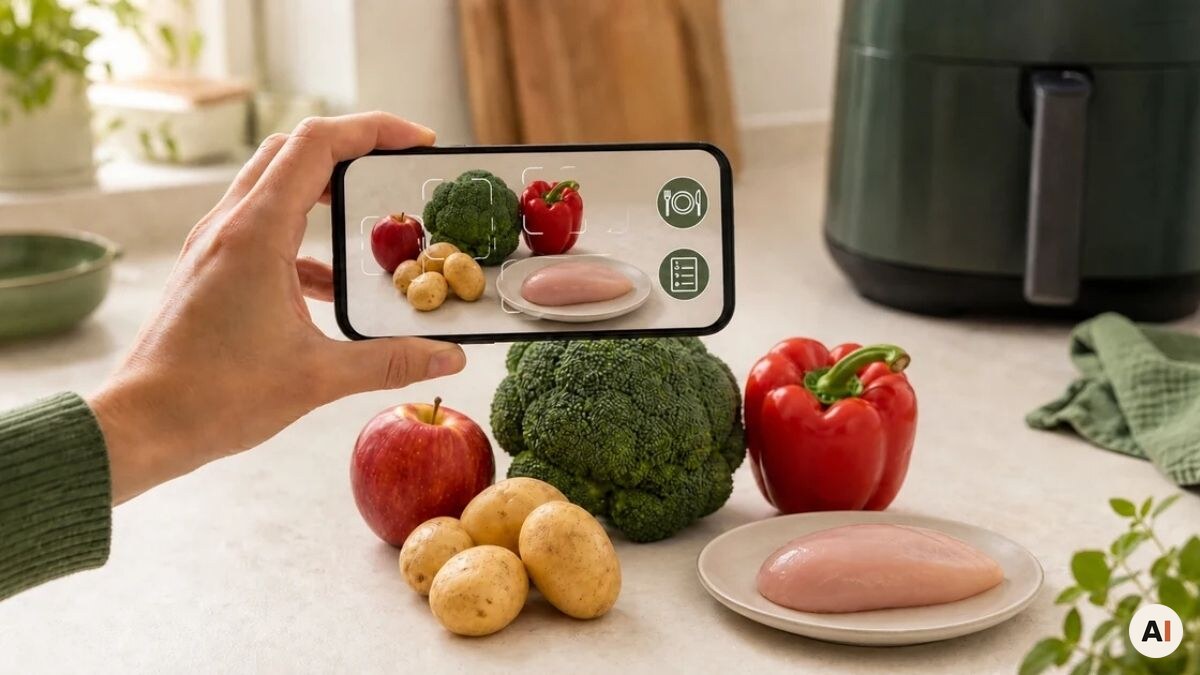
You’re standing with a few ingredients on the kitchen counter, but the idea of what they could become is missing. Or maybe you just want to know quickly how many calories and nutrients are typically in the food in front of you. With our free food scanner, you can take a picture with your phone and get a useful answer in seconds.

Advertisement: The page displays ads and contains advertising links (affiliate links). See our advertisers here.
The scanner is made for foods and ingredients – not for barcodes and not for drinks. It works directly in your browser, so you don’t need to install an app or create an account. Use it as a simple ingredient scanner when you want to find air fryer recipes from what you already have, or when you want a quick overview of the nutritional content.
Forventet læsetid: 9 minutes
In short
- Take a new picture, or choose a photo from your phone’s photo library.
- Scan one or more foods together – you can add up to three pictures.
- Choose between air fryer recipe suggestions and a quick nutrition overview.
- Use the tool for free in your browser with no app or user account.
- Get links to relevant recipes and further reading in our food encyclopedia.
- What is a food scanner?
- Use the food scanner now
- How to use our ingredient scanner
- Find recipes from your ingredients
- See nutritional information in seconds
- How to get the best result with the food scanner
- What can the food scanner recognize?
- Nutritional data is for guidance only
- How we handle your pictures
- Frequently asked questions
- From ingredient to your next meal
What is a food scanner?
A food scanner uses image recognition to examine a photo and suggest which foods are visible. It could be an apple, potatoes, chicken, broccoli, or several different ingredients in the same picture. So you don’t have to type in every ingredient one by one.
Our scanner was developed with two specific purposes. It can match the detected foods against the recipes on Airfryerkogebogen.dk, and it can give you a short, indicative nutrition overview. That makes it different from a classic barcode scanner, which can only read packaged products with a registered barcode.
The food scanner is especially handy when you have loose ingredients, leftovers in the fridge, or homegrown vegetables without packaging. It can’t taste, weigh, or look inside a closed container, but a clear picture gives it a good starting point.
Use the food scanner now
First, choose what you want to use the picture for. Tap Find recipes if you need inspiration for your air fryer, or choose See nutritional information if you want to know the typical nutritional values. After that, you can open the camera or choose an existing picture.
Show us the food
Place the foods in good light. You can photograph several foods together.
Photos are not added to the WordPress media library.
How to use our ingredient scanner
It normally takes just a minute or two to go from ingredients to result. You get the best answer when the food is clearly visible, well lit, and not covered by packaging.
Follow the guide below the first time – after that, the workflow almost runs itself.
Total time: 1-2 minutes
- Choose scanner function
Tap Find recipes if you want recipe suggestions, or See nutritional information if you want a quick overview of calories and nutrients.
- Open the camera or photo album
Choose Open camera to take a new photo. If you already have a good picture, tap Choose image and select it from your phone’s photo album.
- Take a clear picture
Place one or more foods in good light, and make sure they don’t cover each other. You can add up to three pictures if all the ingredients can’t fit in one photo.
- Start the scan
Check the selected pictures, then tap the button to scan. The image analysis normally takes only a few seconds.
- Use the result
See the detected foods and the result. Open a suggested recipe, or follow the link to the food encyclopedia if you want to read more about a food.
Find recipes from your ingredients
Imagine there’s chicken, zucchini, and potatoes left in the fridge. Instead of searching for each ingredient, you can photograph them together. The food scanner detects the ingredients and looks for recipes on Airfryerkogebogen.dk where they appear.
The results are sorted by how well the recipes match the scanned foods. You can therefore get several options, even if not all the ingredients appear in the same recipe. If there’s no sufficiently good match in the recipe archive, the scanner can instead suggest a new recipe idea that fits the ingredients.
You don’t have to use every suggestion. Think of them as a quick shortcut from “what do I have?” to “what can I make?”. Always check the chosen recipe for quantities, temperature, and cooking time before you get started.
See nutritional information in seconds
If you choose the nutrition function, you get a short overview for each recognized food. It shows typical values per 100 grams, including calories, protein, carbohydrates, fat, fiber, and salt. The result is deliberately brief, so you can quickly get an overview.
If you want to know more about the ingredient, you can follow the link to the relevant article in our food encyclopedia. There you’ll find more background on things like uses, flavor, storage, and preparation.
How to get the best result with the food scanner
Image recognition depends on what the camera can actually see. A quick photo can easily be enough, but a few simple choices make the result noticeably better:
- Use daylight or even lighting, and avoid harsh shadows.
- Arrange the ingredients so they don’t hide each other.
- Get close enough that the foods fill most of the picture.
- Take the food out of opaque packaging if possible.
- Use several pictures when you have many different ingredients.
- Try again from a different angle if a food isn’t recognized correctly.
What can the food scanner recognize?
The scanner is designed for visible, solid or semi-solid foods. Among other things, it can work with fruit, vegetables, meat, fish, bread, cheese, eggs, herbs, and many prepared dishes. It can also detect several clearly visible foods in the same picture.
It’s not intended for wine, coffee, juice, or other drinks. A picture of a closed package doesn’t necessarily reveal what’s inside, either. Very similar ingredients, blended dishes, and food covered in sauce can be harder to tell apart. So always check the list of detected foods before you use the result.
Nutritional data is for guidance only
A photograph can identify a likely food, but it can’t weigh it or know the exact variety, preparation, and recipe. The nutritional values are therefore typical estimates per 100 grams – not a calculation of the whole portion in the picture.
The nutrition overview is for guidance only and cannot replace food labels, a kitchen scale, or individual advice from a doctor or clinical dietitian.
If you have allergies, diabetes, or other conditions where precise values matter, always check the information on the packaging and follow the advice you’ve been given.
How we handle your pictures
The pictures you choose are sent for image analysis so the foods can be recognized. They are not added to the WordPress media library and are not shown as public content on Airfryerkogebogen.dk. Even so, avoid photographing people, documents, or other private information along with the food.
The scanner also has limits on image size, the number of pictures, and the number of scans within a short time. This protects both the service and its users against misuse.
Frequently asked questions
A food scanner uses image recognition to suggest which foods are visible in a photo. Our scanner can then either find relevant air fryer recipes or show a short, indicative nutrition overview.
Yes. The food scanner can be used for free directly in your browser, and you don’t need to install an app or create a user account.
Yes. You can photograph several clearly visible foods together and add up to three pictures in the same scan. Arrange the ingredients so they don’t cover each other.
Yes. Tap Choose image to open your phone’s photo library. The Open camera button is used when you want to take a new photo.
No, not precisely from a photo alone. It shows typical nutritional values per 100 grams for the recognized food. Portion size, preparation, and specific products can change the actual values.
If no existing recipe reaches the required match level, the food scanner can suggest a new air fryer recipe idea based on the detected ingredients.
The pictures are sent for analysis, but they are not added to the WordPress media library and are not published on the website. Avoid including people or private information in the picture.
No. This scanner focuses on foods and ignores drinks such as wine, beer, coffee, juice, and water.
From ingredient to your next meal
The hardest part of dinner is sometimes not the cooking itself, but spotting the potential in the ingredients you already have. An apple can become more than a snack, and a handful of vegetables can be the start of a whole meal. The food scanner is made for exactly that moment when the contents of your fridge haven’t yet turned into a plan.
Take a clear picture, choose the function you need, and use the result as inspiration or as a first step toward more knowledge. The scanner can’t replace your own judgment in the kitchen, but it can make the path from ingredient to recipe or nutrition overview considerably shorter.
Author
Airfryerkogebogen.dk